How to Reply to a Specific Reply in a Nested X Thread
Replying inside a busy X thread can land on the wrong post if you tap the wrong button. Here is how X decides what you are replying to, and how to make sure it is the post you meant.
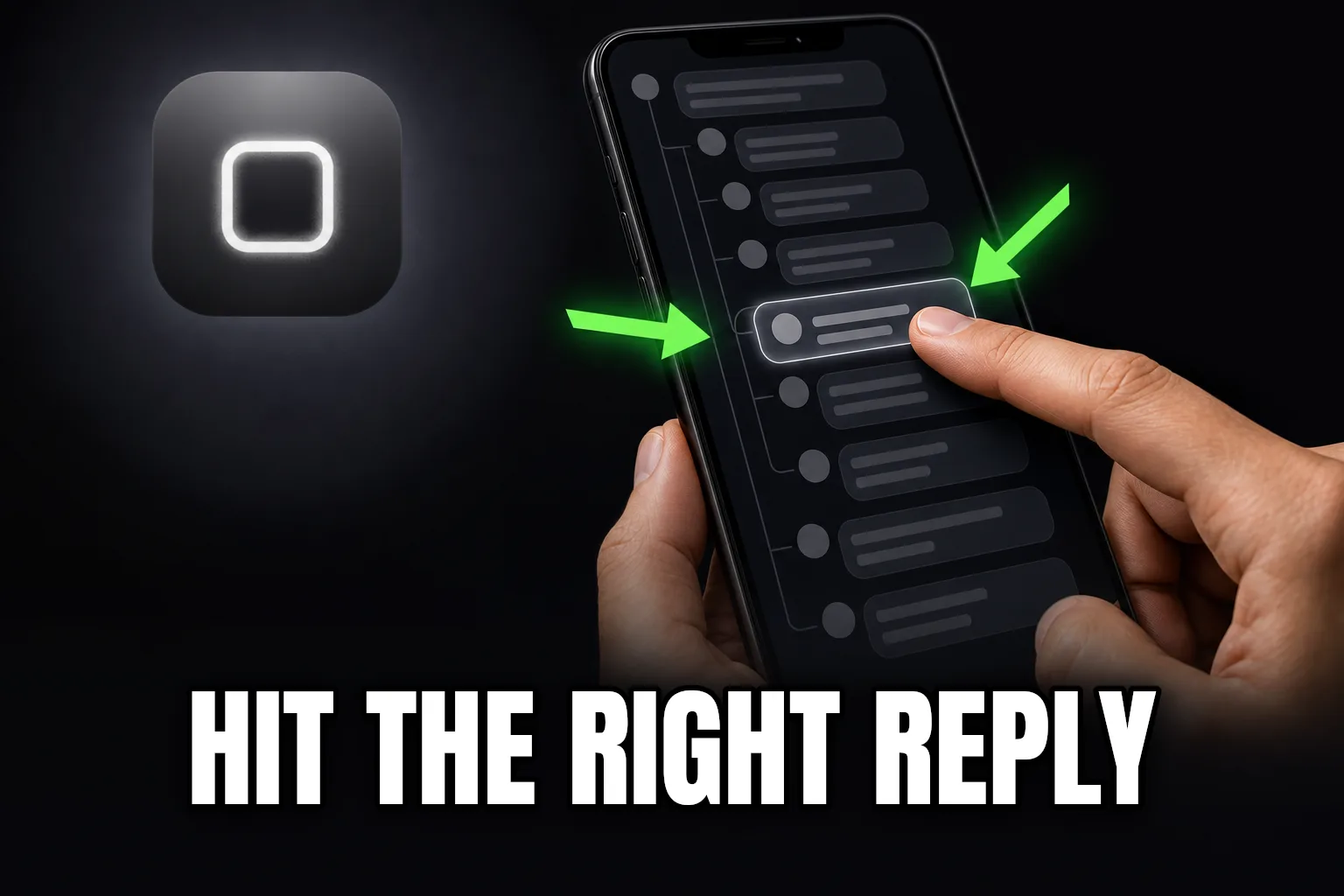
Tap Reply on the exact post you want to answer, not on the thread in general. X always attaches your reply to whichever post's reply icon you tapped, which means in a nested thread, the post that ends up above your reply depends entirely on precision, not intent.
That distinction matters more than it sounds. A thread with real back-and-forth is not one conversation, it is a stack of small ones, and every reply icon belongs to a specific post, not to the thread as a whole. Get the tap wrong and your reply reads like a non sequitur to anyone who opens it later, sitting under a post you never meant to respond to.
Why nested replies are easy to misplace
Once a thread has more than one layer of replies, each post has its own reply icon, its own "Replying to" line, and its own spot in the visual stack. On a phone screen, a parent post and its first reply can sit only a few pixels apart, especially when one of them is short. A tap meant for the reply below can register on the post above it, and X has no way to know that was not what you intended. It threads exactly what you tapped, nothing more.
The deeper the thread, the more this compounds. A conversation five or six replies deep has five or six reply icons stacked closely together, all doing the same job, all one careless tap away from attaching your response to the wrong ancestor.
How X decides what you are replying to
There is no ambiguity on X's side: your reply attaches to whichever post's reply icon you tapped, full stop. The "Replying to @username" line above your composer is the confirmation, not a suggestion, and it names the exact post your reply will thread under once you post it. If that line names someone other than who you meant to answer, the reply has already locked onto the wrong post before you have typed a single word.
This is also why scrolling matters. A long thread shifts as new replies load in, and a reply icon that was under one post a second ago can end up under a different one after the feed re-renders. Tapping fast right after a thread finishes loading is a common way to land on the wrong post.
The manual way: confirming the parent before you type
A careful reader develops a habit here, and it is not complicated:
- Read the "Replying to" line above the composer before typing anything, and confirm it names the account and post you actually meant to answer.
- If the thread just loaded or scrolled, wait a beat before tapping reply, since a still-settling feed is when mistaps happen most.
- On a cramped mobile layout, tap the post's timestamp or text first to open it on its own, then reply from there rather than tapping the reply icon inline.
Where it breaks down
This works fine for a thread with two or three replies. It gets unreliable once a thread has real depth and the reply icons are stacked tightly enough that a normal-speed tap becomes a coin flip. Checking the "Replying to" line every single time is the correct habit, but it is also a tax on every reply you send in a busy thread, and it is the first habit people drop when they are scrolling quickly through a fast-moving conversation.
The other failure mode is not noticing until later. You post a reply, move on, and only realize a day afterward that it attached to the wrong ancestor, by which point deleting and reposting is the only fix.
The SkimFast way
SkimFast will not tap the reply icon for you, but it removes the guesswork that causes the mistap in the first place. Opening a thread's full reply list in a popover, right in your feed, lays out every post and its exact position in the conversation on one screen instead of a scrolling, re-rendering timeline. You can see precisely which post sits where before you commit to replying to it, which is most of what causes a misplaced reply to begin with. SkimFast does not replace X's native reply flow, it just gives you a stable view of the thread to reply from.
| Approach | Stable view before replying | Confirms parent post clearly | Effort |
|---|---|---|---|
| Native X timeline, scrolling | No, feed keeps shifting | Only via the "Replying to" line | Medium |
| Opening each post individually to check | Yes, but slow | Yes | High |
| SkimFast popover | Yes, whole thread at once | Yes, at a glance | Low |
A repeatable routine
- Open the thread and let it fully settle before tapping any reply icon.
- Check the "Replying to" line every time, not just when the thread looks confusing.
- For a reply buried several layers deep, quote the specific line you are answering so the intent is clear even if a reader misses the nesting.
- If you catch a misplaced reply, delete and repost right away rather than leaving it attached to the wrong post.
Replying inside a nested thread is a precision problem more than a judgment one: X will always thread your reply exactly where you tapped, so the only real skill is confirming that spot before you send. The same idea carries over to following a branching X conversation and reading long X threads in order — knowing exactly where you are in a thread is what makes everything else about it, replying included, straightforward.
Read the whole thread without leaving your feed
SkimFast opens any X reply thread in a popover — sorted, searchable, inline media, theme-matched. One-time $9.99, private by design.
Related reading
How to Spot Bot or AI-Generated Replies on an X Thread
Bot and AI-written replies on X share a handful of tells: generic phrasing, odd timing, and near-identical wording across accounts. Here is what to actually look for.
Who Can Reply Settings on X: What They Mean for What You See
X lets posters restrict who can reply before you ever open the thread. Here is how to spot a restricted thread, what each setting hides from you, and why a quiet reply count isn't always the full story.
Why Your Own Reply Doesn't Show Up on an X Thread
You posted a reply and now you can't find it. Here are the real reasons an X reply goes missing from your own thread, and how to tell which one happened.